The router box says AX3000—what is it actually telling you?
You’re standing in the aisle (or scrolling a product page) and two routers look similar—except one shouts “AX3000” and costs more. That label is mostly a shorthand for the Wi‑Fi generation and a marketing-style capacity tier, not a promise about what you’ll see on a speed test.
“AX” means the router supports Wi‑Fi 6 (the 802.11ax standard). The “3000” is a combined, theoretical maximum across its Wi‑Fi bands—typically adding the 2.4 GHz and 5 GHz headline rates together. Your phone or laptop connects to one band at a time, with its own limits, and real homes add interference, walls, and distance. So AX3000 is more like “class of router” than “3,000 Mbps to your device.”
AX vs AXE: Wi‑Fi 6 and Wi‑Fi 6E in plain language
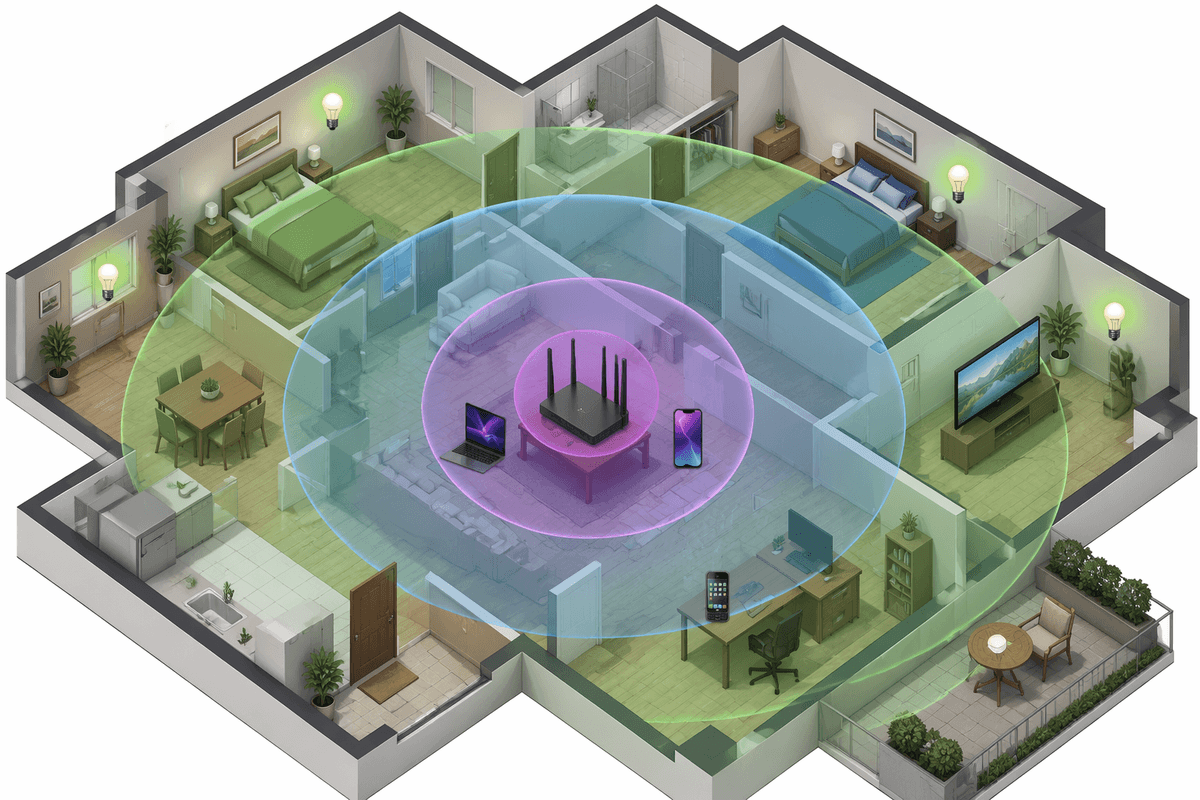
You’ll also see “AXE” on newer models. AX is Wi‑Fi 6. AXE is Wi‑Fi 6E, which is basically Wi‑Fi 6 plus access to a third band: 6 GHz. That extra band can be a relief in crowded areas because it’s usually less congested than 5 GHz, so compatible devices may see more consistent speeds and lower latency—especially close to the router.
The catch is compatibility and range. Only Wi‑Fi 6E devices can use 6 GHz; everything else still lives on 2.4/5 GHz, so an AXE router doesn’t automatically upgrade older phones, smart TVs, or IoT gear. And 6 GHz tends to fade faster through walls than 5 GHz, so the benefit often drops off in back bedrooms or downstairs rooms unless you place the router well or add mesh nodes.
What the number means: why AX1800 isn’t your internet speed
AX1800 (or AX3000, AX5400) is a “combined Wi‑Fi capacity” label, not a speed guarantee to any one device. Manufacturers add up the best-case link rates for each band—typically something like “up to ~1200 Mbps on 5 GHz” plus “up to ~600 Mbps on 2.4 GHz” to land near 1800. Your laptop will use one band at a time, and it may only support a fraction of that depending on its Wi‑Fi radio (older Wi‑Fi 5 clients, 1x1 vs 2x2 designs, and smaller channel support all cap the link rate).
Even if your device links at a high rate, that’s still not your internet speed. Your ISP plan, modem, router CPU, and Ethernet ports can bottleneck first, and real throughput is usually well below the link rate after overhead and interference. The practical takeaway: treat the number as a rough tier for “how much wireless traffic it can handle,” not what you’ll see on a single speed test.
How those numbers are built: bands, channel width, and streams
Picture a spec sheet that lists “2.4 GHz: up to 574 Mbps” and “5 GHz: up to 2402 Mbps,” then the box calls it AX3000 by rounding that total. That’s the basic recipe: add the best-case link rate for each band the router offers (2.4, 5, and sometimes 6 GHz) and market the sum as a single number. It’s why tri-band models can jump to AXE5400 or AXE7800 quickly—there’s simply more “bands” to add together.
The size of each band’s number mostly comes from two knobs: channel width and streams. Wider channels (like 80 MHz or 160 MHz on 5/6 GHz) can push a higher link rate, but they’re harder to use reliably in busy neighborhoods and can drop down automatically. Streams are the “x” ratings you’ll see in reviews (2x2, 4x4): more streams can raise capacity, but only if your device also supports them. Many phones and laptops are 2x2 or even 1x1, so a 4x4 router’s extra streams mostly help when several devices are active at once.
When AXE (6 GHz) helps—and when it’s wasted money
You notice the “6 GHz” pitch most when the 5 GHz band is packed: apartments, townhomes, dorms, or a family with lots of video calls and gaming happening at once. If you own a newer laptop or phone that explicitly supports Wi‑Fi 6E, the 6 GHz band can give it a cleaner lane, which often means steadier throughput and less jitter in the same room or one room away. It’s also handy if you want to use 160 MHz channels without fighting as much neighborhood noise, since 6 GHz is typically less crowded than 5 GHz.
It’s wasted money when most of your devices can’t use 6 GHz, or when your trouble spots are behind multiple walls where 6 GHz fades quickly. In those cases, spending the difference on better placement, a wired backhaul mesh node, or simply a stronger 5 GHz setup can do more. Another practical constraint: some homes don’t have a good central spot or available Ethernet, and that limits how much “6 GHz speed” you can actually spread around.
The bottlenecks that matter more than the AX rating
You can buy a higher AX tier and still see the same speed tests because the choke point is often somewhere else. The most common is your internet plan and modem: if you pay for 300 Mbps, an “AX5400” router can’t turn that into 900 Mbps. Hardware limits matter too. Many routers still have 1 Gbps WAN/LAN ports, so even with multi‑gig internet, wired speed (and the Wi‑Fi feeding off it) can hit a hard ceiling unless you’re buying a model with 2.5 GbE or better.
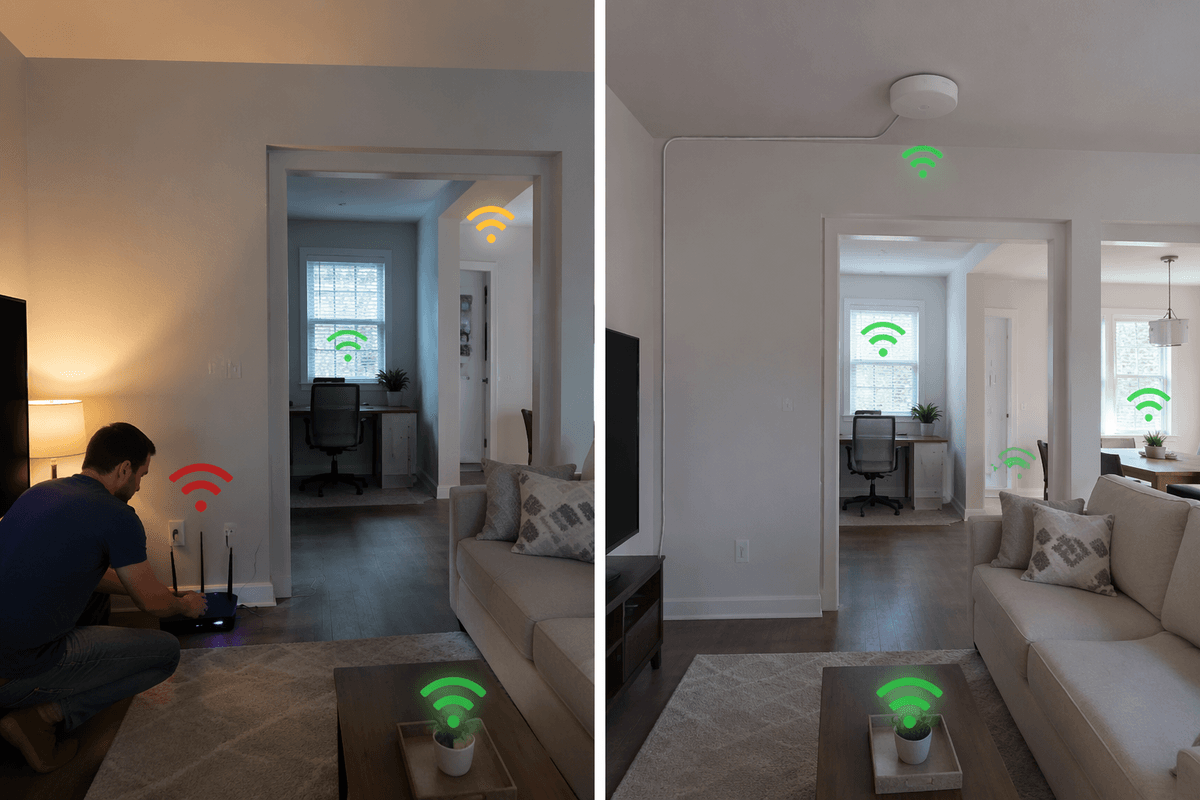
Inside the house, layout and interference usually dominate. A router behind a TV in a corner cabinet will underperform a cheaper model placed out in the open, closer to the center. Backhaul is another quiet limiter: a mesh system that uses wireless backhaul on a busy 5 GHz channel can cut real throughput to distant rooms, while one Ethernet run to a node can feel like a “router upgrade” without changing the AX rating.
Picking the right router tier for your home and devices
You can usually pick a “tier” by matching the router to your clients and your floor plan, not to the biggest number on the box. If most of your active devices are a couple of phones, a laptop, a TV streamer, and some smart-home gear, an AX1800–AX3000 class router is often plenty—especially if your internet plan is under about 500 Mbps and your home isn’t huge. The jump to AX5400/AXE5400 tends to make sense when you regularly have several people streaming and video-calling at once, you want 160 MHz support for newer laptops, or you’re trying to keep performance stable in a busy Wi‑Fi neighborhood.
Then sanity-check two practical constraints. First, your devices: if you don’t own any Wi‑Fi 6E clients, paying for AXE is mostly paying for “maybe later.” Second, your coverage: if the router can’t sit in an open, central spot, a mid-tier router plus a wired access point or mesh node can beat a high-tier single router—at the cost of extra hardware, setup time, and possibly an Ethernet run.
A quick checklist to decode router labels before you buy
You’re usually better off running a quick label-and-spec sanity check than chasing the biggest AX number. First: AX = Wi‑Fi 6, AXE = Wi‑Fi 6E (6 GHz), and 6 GHz only helps if you own 6E devices and you’ll use them fairly close to the router. Second: treat AX1800/AX3000/AXE5400 as “combined, theoretical capacity,” not your per-device speed. Third: look for 160 MHz support only if your key devices support it and you live in a low-interference area. Fourth: check ports (1 GbE vs 2.5 GbE) to match your modem/plan. Finally: budget for placement or mesh, because walls can cost more performance than specs.