Why IDS still matters when you already have firewalls
You can have well-configured firewalls and still miss the traffic that matters. Firewalls decide what’s allowed; they rarely tell you whether allowed traffic is safe. Most real incidents ride on “permitted” paths: a user browsing the web, a server reaching a cloud API, or an internal system talking to another internal system. An IDS adds visibility and verification by inspecting what actually happens on those paths—spotting known exploit patterns, suspicious command-and-control behavior, and odd lateral movement that a rule-based allow/deny device won’t flag.
The trade-off is practical: IDS doesn’t block by default, and it isn’t magic context like EDR on an endpoint. It produces alerts that require tuning, ownership, and a decision about what you will do at 2 a.m. when it fires. Done well, it becomes your “smoke detector” for network behavior your firewall intentionally lets through, and it gives you early warning before an event turns into a widespread outage.
Start with the threats you need to catch first
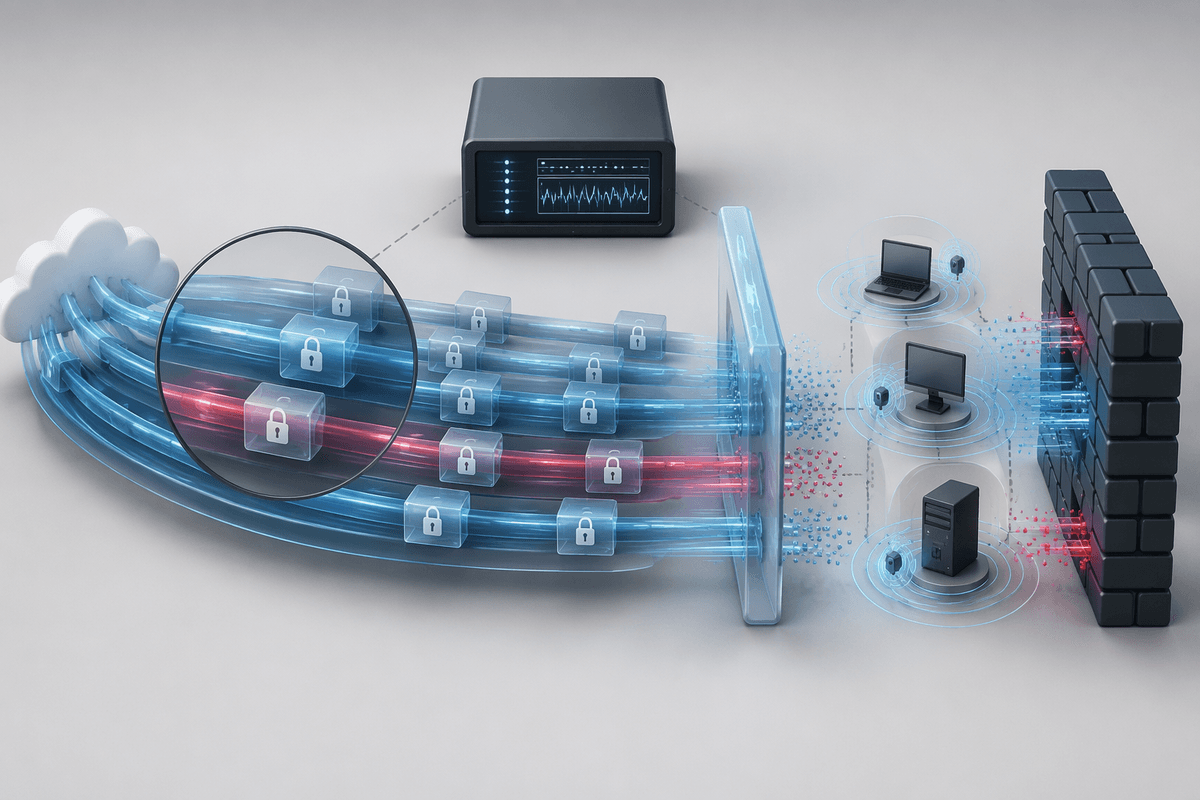
A practical way to choose and tune IDS is to start with a short list of “must-catch” behaviors tied to how you actually operate. If you run remote access (RDP gateways, VDI), prioritize credential abuse signals: repeated auth failures, impossible travel, and unusual admin logins from new subnets. If you host public-facing apps, focus on exploitation and post-exploit activity: webshell patterns, suspicious outbound connections from servers that normally don’t browse, and database queries that spike after a new deployment. If most of your risk is inside the LAN, put early attention on lateral movement: new SMB/WinRM/SSH fan-out, remote service creation, and endpoints suddenly scanning many internal ports.
This framing also sets expectations. IDS is strong at “network-shaped” threats—command-and-control, exploit traffic, and spread patterns—but weaker when payloads are encrypted or when the attacker uses legitimate SaaS over HTTPS. Accept the constraint up front: you may need decryption points, endpoint telemetry, or tighter egress controls to make those alerts actionable.
Network IDS vs Host IDS vs cloud-native signals
You’ll usually end up mixing three signal sources, because each sees a different slice of reality. Network IDS (NIDS) watches traffic on a wire or virtual tap and is great for catching exploit attempts, malware beacons, and lateral movement patterns across many hosts. It’s also the easiest to centralize, but it loses detail when traffic is encrypted and it can miss activity that never leaves a host (like a local privilege escalation or a malicious scheduled task).
Host IDS (HIDS) lives on the machine and can watch processes, file changes, registry keys, logins, and integrity of critical paths. That makes it strong for “what happened on this server” questions, even when all network traffic is TLS. The cost is operational: agents need rollout, updates, CPU/memory budget, and careful scoping on high-churn systems (VDI pools, containers) to avoid alert spam.
Cloud-native signals (VPC flow logs, cloud firewall logs, WAF, DNS logs, IAM audit trails) fill the gaps where you don’t control taps or where east-west traffic never hits your on-prem core. They’re powerful for identity abuse and misconfiguration detection, but they’re often delayed, billed by volume, and require normalizing multiple log formats before they’re useful in an incident.
Signature, anomaly, and behavior detection: what works when
You’ll notice most IDS products and rule sets fall into three detection styles, and each has a different failure mode. Signature detection is the most dependable for known badness: exploit strings, malware families, and well-understood protocol abuse. It’s fast to roll out and easier to explain to management, but it won’t catch a novel technique and it can break when attackers change small details or when traffic is encrypted end-to-end.
Anomaly detection looks for “not normal” patterns like odd ports, sudden traffic spikes, or a workstation starting to talk like a server. It can surface new issues, but it also creates the most false positives if you don’t define baselines per site, per subnet, and per role. Behavior detection sits in the middle by chaining simpler signals into stories you can act on: a new admin login followed by remote execution and then an unusual outbound connection. It works best when you can enrich alerts with identity, asset criticality, and allow-listed tools, and it takes real time to tune.
Where to place sensors so you see the right traffic
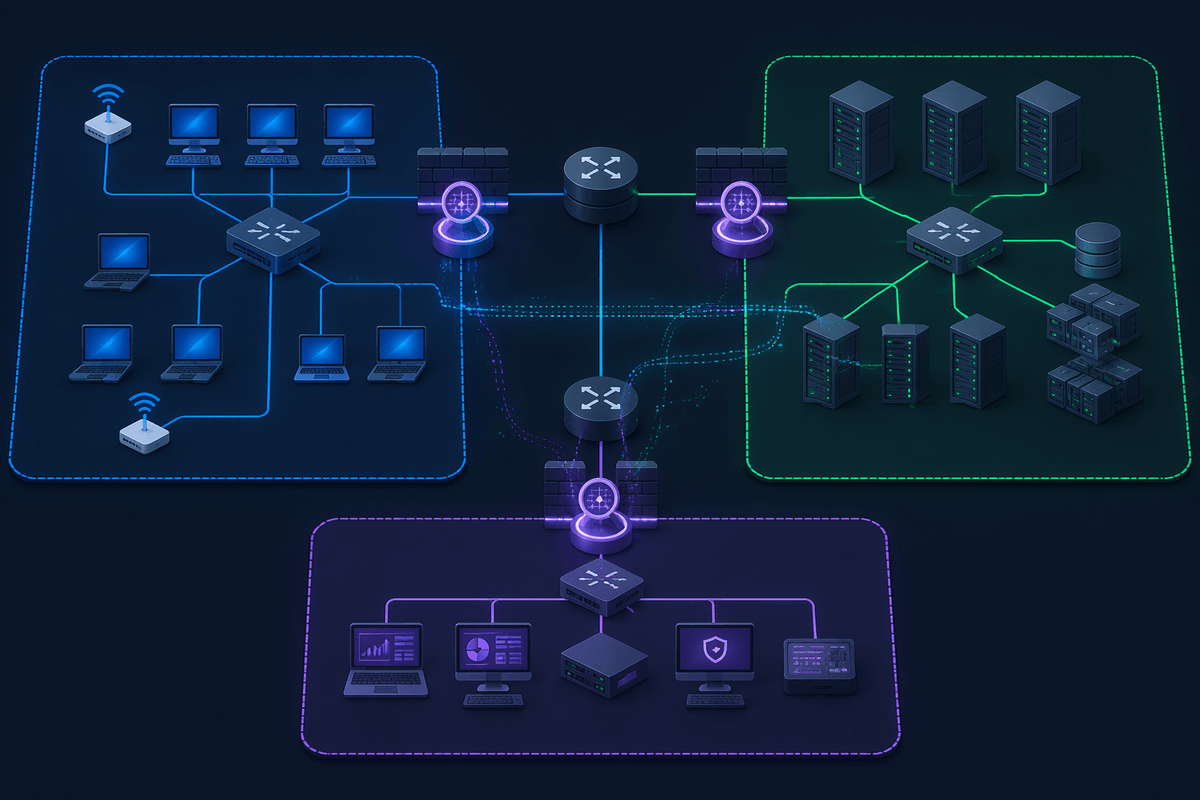
You’ll feel the gap immediately if you place sensors where it’s convenient rather than where decisions and data flows actually converge. Start with the choke points that carry the most shared risk: the egress path to the internet (to spot command-and-control and odd outbound destinations), the ingress path in front of public apps (to catch exploit attempts and scanning), and any remote-access termination (SASE, ZTNA gateways) where credential abuse and post-login movement begin. If you can only afford one NIDS sensor, egress is usually the best “wide net,” but it won’t show you east-west spread inside the LAN.
To see lateral movement, place sensors near internal routing boundaries that separate user, server, and management networks, not on a random access switch. SPAN ports and taps are also a practical constraint: oversubscribed mirrors drop packets and quietly reduce detection quality, especially on busy uplinks. In cloud and virtualized networks, you may not get a true wire tap at all, so treat flow logs plus targeted host signals on crown-jewel systems as your substitute for full packet visibility.
Tuning alerts so your team doesn’t drown
The first week with an IDS is usually noisy because “possible” threats and “actionable” threats are not the same thing. Start by defining what you will page on versus what can wait for business hours. A clean split is: alerts tied to credential abuse, confirmed malware command-and-control, and lateral movement on server or management networks get high priority; generic scans, policy violations, and single low-confidence signatures become tickets or reports.
Tuning works best as a loop, not a one-time project. Add asset context (domain controllers, jump boxes, payroll systems), user context (admins versus standard users), and approved tooling (patch scanners, vulnerability scanners, RMM) so you can suppress known-good patterns without blinding yourself. Time-box rule changes and keep a short change log; otherwise you’ll forget why something was muted when the environment changes.
Expect real costs: tuning takes analyst hours, and aggressive suppression can hide early-stage intrusions. A practical target is fewer, higher-quality alerts with clear “what to check next” steps, even if it means you miss some low-signal noise.
Making IDS actionable: workflow, response, and measuring success
An IDS becomes useful when every alert has an owner and a default path: page, ticket, or ignore-with-reason. Build a short runbook per high-priority alert type (C2 beacon, brute-force, lateral movement) that lists the first three checks: which host, which user, what changed, and whether it matches approved tools. Route network alerts to the people who can act (network, server, IAM), and make escalation criteria explicit so “needs IR” isn’t a debate at 2 a.m.
Measure success by outcomes, not alert counts: time-to-triage, time-to-contain, percent of alerts closed as “benign but expected,” and repeated offenders you eliminated with segmentation or egress controls. The constraint is real: without response capacity, IDS turns into another inbox.